Whether you are moving house, clearing out extra space, or putting away gear you don’t use every day, storing electronics needs a bit of extra care. Things like laptops, flat-screen TVs, gaming consoles, and audio gear are expensive to replace. If you just toss them into a random box, bad weather and trapped air can quietly ruin them.
In Australia, the climate can be especially tough on gadgets. Heavy humidity combined with hot summer days creates moisture inside your devices. This causes rust on circuit boards, mold inside camera lenses, and permanent damage to expensive parts.
To keep your gear working perfectly when you take it back out, you need to protect it against humidity damage, heat, and static electricity. Here is how to do it easily step-by-step.
The Biggest Weather Hazards for Your Tech
Australian weather throws three main problems at electronic items:
- Sticky Humidity: When the air is damp, tiny water droplets get trapped inside your gadgets. As it cools down at night, that trapped air turns into actual water drops on the green circuit boards inside, causing rust and short circuits.
- Mold and Mildew: Warmth combined with damp air is the perfect home for mold. It loves growing inside speaker fabric, optical drives, and camera lenses.
- Extreme Summer Heat: Standard outdoor sheds or metal garages can easily heat up like ovens in summer. High heat melts glue, warps plastic frames, and ruins battery life.
Because of these threats, leaving your gear in a damp garage or outdoor garden shed is risky. Storing your items in a clean, temperature-controlled environment—like a dedicated unit at Guardian Self Storage—keeps your gear safe from extreme weather changes all year round.
3 Simple Preparation Rules You Must Follow
Before you pack anything into a box, make sure you follow these three basic rules:
1. Never Put Boxes Straight on Concrete
Concrete floors might feel dry, but they actually draw up moisture from the ground like a sponge. If you place cardboard boxes or electronics straight on a concrete floor, they will soak up that dampness over time.
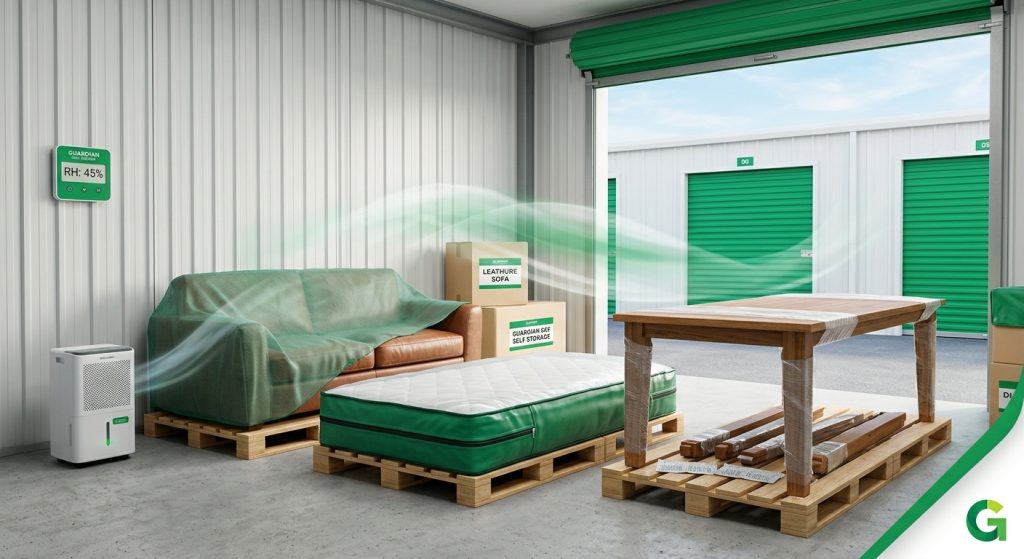
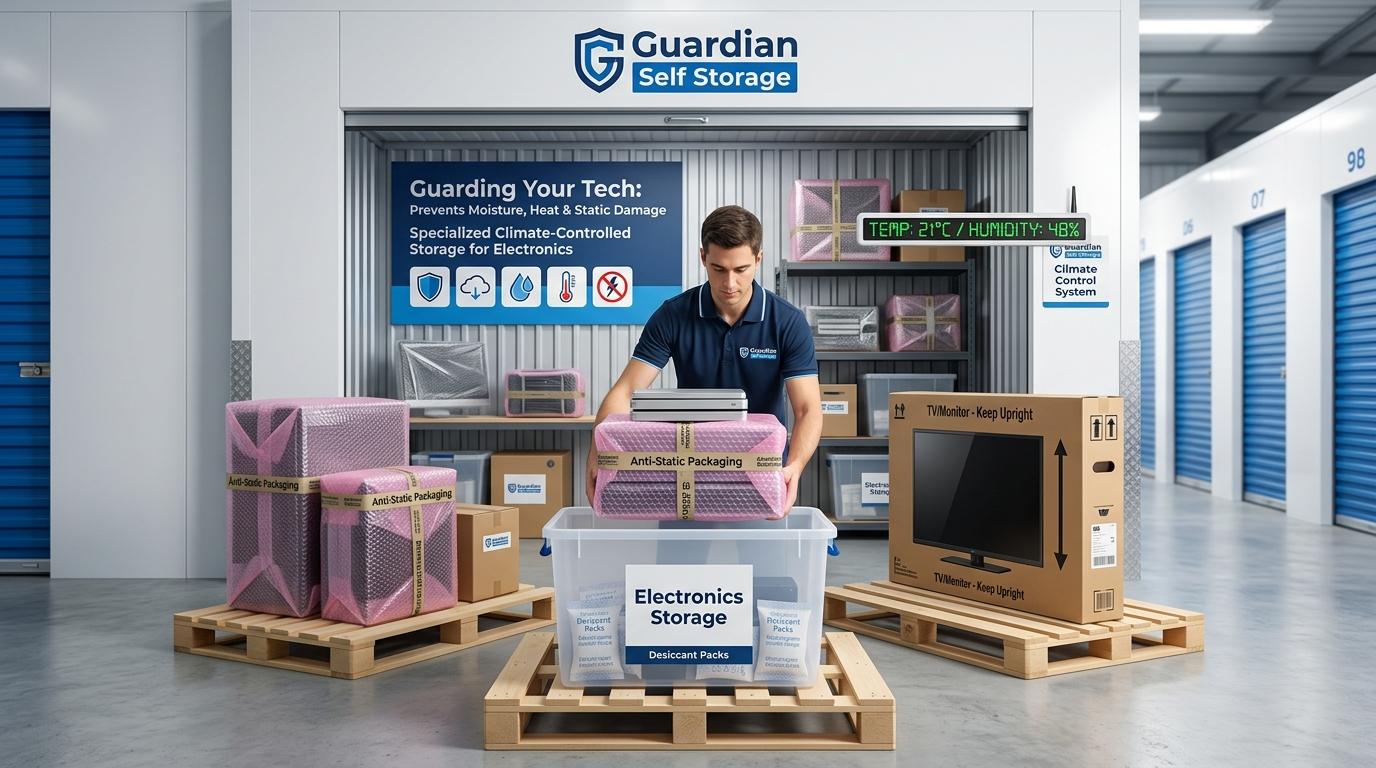
What to do: Keep everything raised off the ground. Place your boxes on wooden pallets or plastic shelving. Lifting your gear just a few centimeters off the floor allows air to flow underneath and protects against ground moisture.
2. Take Out All Lithium Batteries
Leaving rechargeable batteries inside laptops, gaming controllers, or cordless tools during storage is asking for trouble. Over time, stored batteries can leak acid, swell up, or completely lose their ability to hold a charge.
What to do:
- Pop the batteries out of your devices before packing.
- Charge or drain them so they sit at about 40% to 50% battery power (never store them totally flat or 100% full).
- Put them in a separate, dry box away from extreme heat.
3. Always Store Flat-Screen TVs Standing Up
Modern OLED, LED, and Plasma TVs are built to carry their weight along the outside frame. If you lay a flat-screen TV flat on its front or back, all the weight pushes down on the middle of the fragile glass. One bump during travel or long storage can crack the screen internally.
What to do: Keep TVs and computer monitors standing straight up, just like they sit on a desk. Put them inside a thick TV box with plenty of padding wrapped around the corners.
Smart Packing: Stopping Static & Moisture
Two hidden dangers for electronics are static electricity and damp air. Luckily, they are very easy to stop with the right packing supplies.
Stop Static Drops
Normal bubble wrap, foam beads, and plastic shopping bags build up static electricity when they rub together. A tiny static shock—one you can’t even feel—is enough to fry a computer chip or motherboard instantly.
- Pink Anti-Static Bubble Wrap: Use pink bubble wrap for electronics. It is specially treated so static electricity cannot build up on it.
- Silver Anti-Static Bags: For loose computer parts, RAM sticks, or hard drives, slide them into silver anti-static bags (also called ESD bags) before wrapping them up.
Stop Internal Moisture
If you seal your gadgets inside plastic storage tubs, you might trap damp air inside with them. When the temperature drops, that trapped air turns into water drops on your stuff.
- Use Silica Gel Desiccant Packs: Throw several small desiccant packs (the tiny packets often found in new shoe boxes) into every storage tub. They pull moisture out of the air and lock it away.
- Use Enough Packets: For a medium storage box, toss in a few 50g or 100g silica gel packets. Keep the lid closed tight so the packets absorb the trapped air inside, rather than the air in the whole room.
Why Climate Control Makes Such a Difference
While good packaging helps a lot, keeping the room environment steady is the ultimate protection for high-value gear. This is where Climate Control units shine.
Standard sheds warm up and cool down with the outdoor weather, forcing your gadgets through constant hot-and-cold cycles. A climate-controlled storage unit keeps both the temperature and humidity level steady, so moisture never gets the chance to settle inside your gear.
Why It’s Worth It:
- No Condensation: Keeps the air dry so water drops never form on internal parts.
- Protects Plastic & Rubber: Prevents wires from going sticky and plastic cases from warping in high heat.
- Peace of Mind for Expensive Tech: The safest choice for gaming setups, cameras, music gear, and office equipment
Quick Checklist Before You Walk Away
Double-check these simple steps before leaving your gear in storage:
- Clean your stuff: Wipe off dust and fingerprints. Body oils hold onto moisture and attract mold.
- Unplug all cords: Disconnect power leads and cables so the plugs don’t bend or rust inside the ports.
- Skip normal plastic wrap: Don’t wrap devices tightly in kitchen cling film. It traps moisture right against the metal. Use breathable covers or pink anti-static bubble wrap instead.
- Mark your boxes: Write “FRAGILE – KEEP UPRIGHT” in big letters on any box holding screens or glass.
By spending a few extra minutes packing your gear correctly, you can rest easy knowing your electronics will turn on and work perfectly when you need them again!